

Dual physical SIM iPhone wholesale lots look simple on paper. A seller lists “dual SIM iPhone 15, 50 units”, the photos look right and the price is good. Then the phones arrive, and a third of them take only one physical SIM plus eSIM. Your buyer ordered two-tray units for customers who swap SIM cards every week, and now you face returns. The fix is checking the model number and SIM tray on every unit before you pay. This guide shows how to check every dual physical SIM iPhone wholesale lot.
✔ Two nano-SIM support depends on the model number, not the phone’s name or color
✔ Apple lists the models sold in China mainland, Hong Kong and Macao that take two nano-SIM cards
✔ Check every unit, because mixed lots often combine regional versions
✘ Seller text and photos alone do not prove dual-SIM support
Which iPhones Take Two Physical SIM Cards?
Apple’s support pages say Dual SIM with two nano-SIM cards is offered on certain models purchased in China mainland, Hong Kong and Macao. Apple gives a specific model number for each. Examples:
| Model | Model number with two nano-SIM | Region (per Apple) |
|---|---|---|
| iPhone 13 | A2634 | China mainland, Hong Kong, Macao |
| iPhone 14 | A2884 | China mainland, Hong Kong, Macao |
| iPhone 15 | A3092 | China mainland, Hong Kong, Macao |
| iPhone 16 | A3288 | China mainland, Hong Kong, Macao |
| iPhone 17 | A3521 | Check Apple’s current list |
| iPhone 18 Pro | A3715 | China mainland only |
In Hong Kong and Macao, models such as iPhone 13 mini and iPhone SE (3rd generation) use eSIM for the second line, and iPhone Air is eSIM only. Apple’s region notes can change with new models, so check the current list before you quote any dual physical SIM iPhone wholesale lot.
Rule of thumb: the same model name can come in a two-tray, single-tray or eSIM-only version. The model number decides which one you hold.
Look vs Proof: What Actually Confirms Two SIM Slots
| What you see | Is it proof? | What to check instead |
|---|---|---|
| “Dual SIM” in the listing title | ✘ No | Model number on the device |
| Photo of the back or box | ✘ No | Physical SIM tray on each unit |
| Chinese-language box or charger | ✘ No | Region code in the part number |
| Two lines shown in Settings | ✘ Not alone | Could be one SIM plus eSIM |
| Model number matches Apple’s two nano-SIM list | ✔ Yes | Plus a physical tray check |
Use this table whenever you review a dual physical SIM iPhone wholesale offer.
7 Proven Steps for Dual SIM iPhone Model Verification
Dual SIM iPhone model verification must happen unit by unit. Follow these seven steps for every dual physical SIM iPhone wholesale order.
Step 1: Ask for a Model Number List Before Payment
Request the model number and IMEI for every unit.
Why it works: you can compare the list with Apple’s two nano-SIM models before any money moves.
Step 2: Read the Model Number on the Device
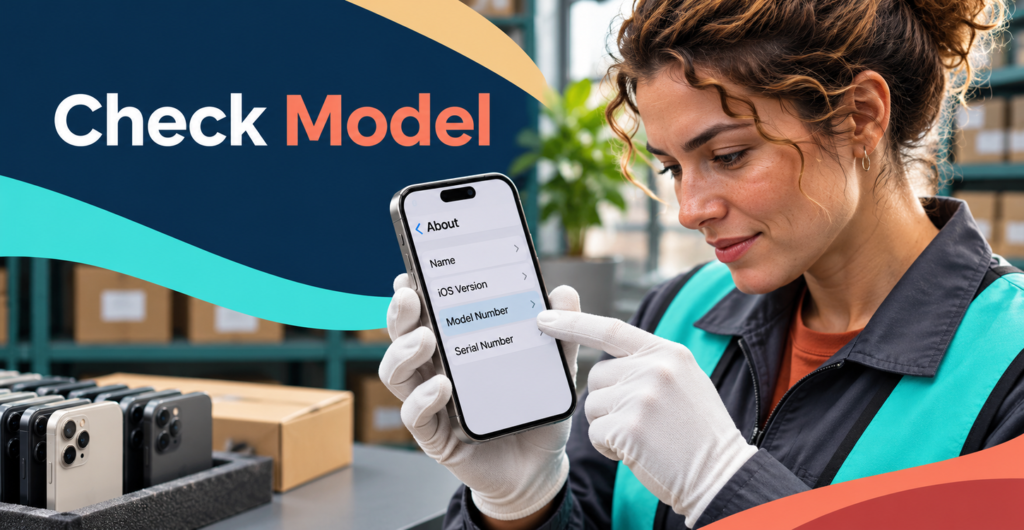
Go to Settings, General, About. Tap the part number once to show the “A” model number.
Why it works: the device itself is harder to misstate than a spreadsheet.
Step 3: Check the Region Code in the Part Number

The part number ends in a region code, such as CH/A for China mainland. Record it with the model number.
Why it works: it confirms where the unit was sold, which matters for two-SIM support. Region codes also help sort a dual physical SIM iPhone wholesale lot quickly.
Step 4: Remove the SIM Tray

On two nano-SIM models, Apple describes a tray that holds one SIM on each side. Inspect the tray and confirm it matches the expected design.
Why it works: a single-SIM tray in a “dual SIM” lot shows up at once.
Step 5: Test Two Live SIM Cards

Insert two active nano-SIM cards. Check that both lines appear in Settings and both show signal.
Why it works: it proves the unit works, not just that the tray fits. Do this for every unit in a dual physical SIM iPhone wholesale lot.
Step 6: Confirm Lock and Activation Status
Check carrier lock, Activation Lock and IMEI status. Our IMEI checks guide explains how.
Why it works: a perfect two-SIM unit is still unsellable if it is locked.
Step 7: Record Results in a Unit Log
Write the results for each unit before shipping. This log is the evidence behind any dual physical SIM iPhone wholesale invoice.
Sorting Mixed Lot iPhone SIM Variants

Mixed lot iPhone SIM variants are common when suppliers combine stock from several regions. Use a simple unit log:
| IMEI (last 4) | Model number | Region code | Tray type | Both SIMs live? | Result |
|---|---|---|---|---|---|
Sort the results into three groups: two-SIM units, single-SIM units and eSIM-only units. Then price each group separately. Mixed lot iPhone SIM variants are not a problem when every unit is labeled correctly. They become a problem when they are sold as one uniform dual physical SIM iPhone wholesale lot.
Match the Lot to the Buyer’s Needs

| Buyer type | What they need | Best fit |
|---|---|---|
| Customers who swap local SIM cards | Two physical slots | Two nano-SIM units only |
| Business users with two numbers | Two lines, any type | Two-SIM or SIM plus eSIM |
| Markets with strong eSIM support | One line or eSIM | Any verified unit |
Ask your buyer which group they serve before you quote dual physical SIM iPhone wholesale stock.
Red Flags Before You Buy

- The seller cannot share model numbers for each unit
- “Dual SIM” is mentioned only in the title or photos
- Model numbers do not match Apple’s two nano-SIM list
- The seller refuses a tray or two-SIM test on samples
- One price is quoted for a lot with mixed regions
If you tick any box, pause the dual physical SIM iPhone wholesale deal until the seller provides evidence.
Important: a buyer request is not a sales forecast. Base every dual physical SIM iPhone wholesale purchase on verified unit data and confirmed orders.
Quality Checks Beyond the SIM Tray
Two SIM slots are only one part of a good unit. Weak batteries still cause returns on dual physical SIM iPhone wholesale orders, so also check battery health, grade, display and charging. Our used iPhone testing process, our used iPhone grading system and our Quality Control process explain how we check every unit.
Frequently Asked Questions About Dual Physical SIM iPhone Wholesale
Can a single-SIM iPhone be converted to two physical SIMs?
No. Two nano-SIM support depends on the model sold in specific regions. Only buy dual physical SIM iPhone wholesale units with matching model numbers.
Do two-SIM iPhones also support eSIM?
Support depends on the model and region. Check Apple’s information for the exact model number.
Is a Hong Kong iPhone always dual physical SIM?
No. Some models sold in Hong Kong use eSIM for the second line. Always check the model number.
Do you supply dual physical SIM iPhones?
Our stock list shows only units we hold or have confirmed through documented quotes, with model numbers stated.
Need a Verified Two-SIM Lot?
Tell us the model, storage, grade and quantity, and we will share model numbers and region codes for each unit we can verify. We list model numbers on every dual physical SIM iPhone wholesale quote.
👉 Contact our team · Browse our used iPhone wholesale inventory